Concessions & Quick Service
Every order, right the first time.
Sell popcorn and a ticket in the same transaction, send food orders straight to the prep station, and track inventory down to the ounce, all from one fast screen.
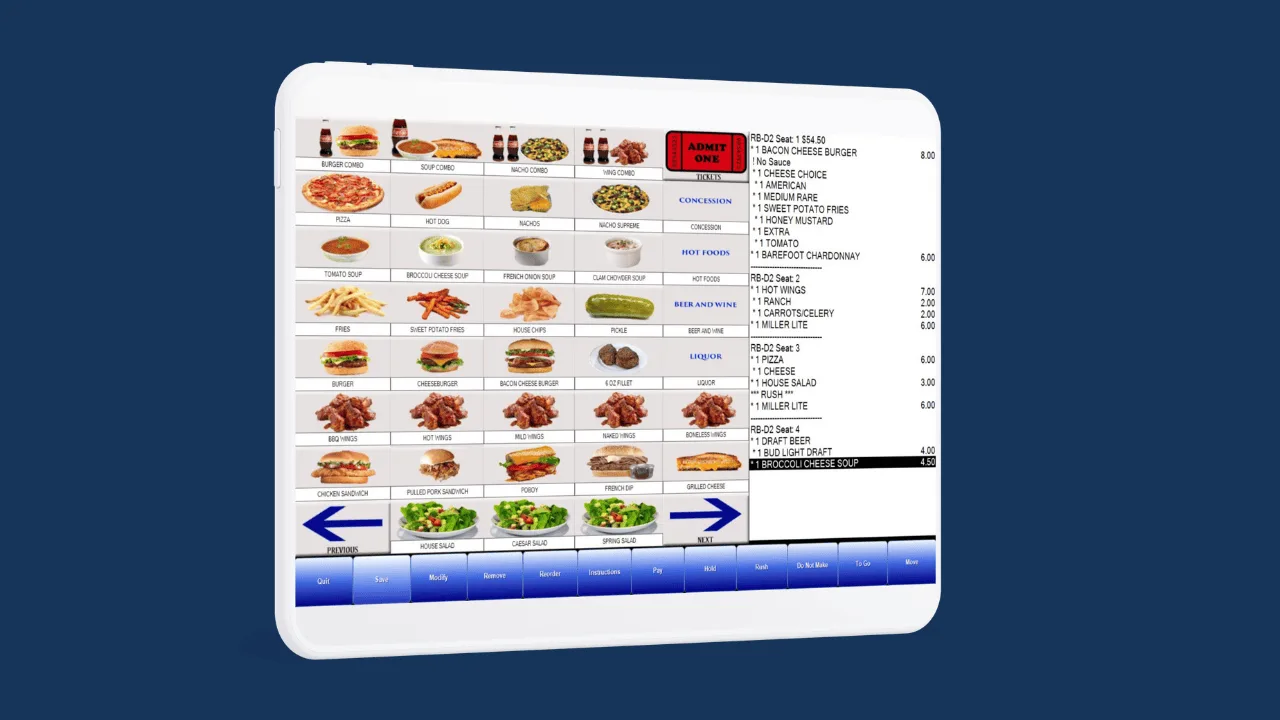
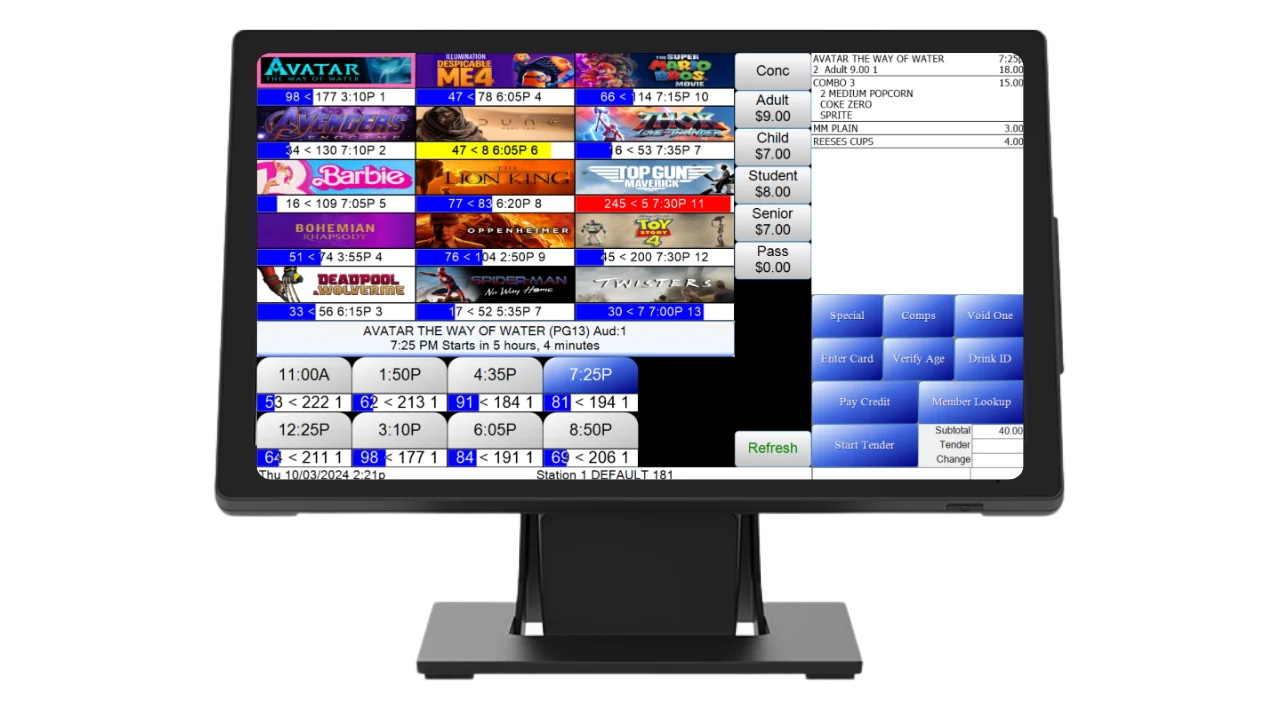
Tickets and Popcorn, One Receipt
Your cashier toggles from tickets to the concession screen without starting over. Big graphic buttons, combos and barcode scanning keep the line short, and the guest pays once.
- Graphic item buttons you design, with your own photos and categories.
- Barcode scanning for candy, bottled drinks and retail items.
- Combos and upsells built into the screen, so every cashier offers them.
Built for the Concession Stand
From a single popcorn counter to a busy grill, the tools your stand needs are already on the selling screen.
See it in a demoCombos & Upsells
Build combo deals once and they price themselves at every register.
Modifiers & Special Instructions
Butter, no ice, extra cheese. Searchable modifier lists and special instructions travel with the order.
Comps & Discounts
Comp or discount items right from the screen, behind password permissions.
Tipping
Optional tip prompts on the customer-facing display and card readers, with suggested amounts and protection against excessive tips.
Loyalty & Gift Card Redemption
Guests redeem points, item credits and gift cards on concessions, tracked on the redemption reports.
Pay at Counter
Guests order in the app or online, then pay when they reach the stand.
Text When Ready
Capture a phone number with the order and text the guest the moment it's ready for pickup.
Customer-Facing Display
Guests watch their order build, add a tip on card payments, and see the gift card rewards they just earned.
Tax Setup in Bulk
Apply tax tables to many items at once instead of editing them one by one.
Menu Management
Organize and merge categories cleanly, and keep every screen's layout up to date.
Made to Order, Ready Before Showtime
For grills, pizza ovens and made-to-order menus. Quick service mode takes the order at the counter, sends every item where it's made, and tells the guest when it's ready.
- Step 1
Order
Taken at the counter, or placed online or in the app.
- Step 2
Route
Items go to the right kitchen printer, display or bar automatically.
- Step 3
Prepare
Staff work from kitchen displays with bump bars, in the right sequence.
- Step 4
Hand off
The pickup viewer shows what's ready, and guests get a text.
- Prep-time aware pickup sets each order's ready time by its slowest item.
- Showtime-locked pickups tie a concession order to the guest's showtime.
- Quick service mode built for counter-style kitchens, no table service required.
- Auto-complete at the station closes an order the moment its last item is done.
- Order Manager shows every open order with special instructions, and can hide cancelled ones.
- Kitchen Times report shows how long orders actually take, day by day.
Large Popcorn
| Popcorn bucket, large | 1 each |
| Popcorn kernels | [ oz ] |
| Butter topping | [ oz ] |
| Salt | [ oz ] |
Every large popcorn sold takes each ingredient out of stock automatically.
Count Every Kernel
Inventory is built into RTS, not bolted on. Every sale updates stock in real time, and recipes track ingredients down to the ounce, so you know what to reorder and where the profit is.
- Real-time stock updated with every sale, at every register, kiosk and app.
- Recipe tracking down to the ounce for anything you make in-house.
- Concession reporting by item, location and redemption, to spot what's selling and what's wasted.
Know What Sold, What's Left and Who Sold It
Every concession sale feeds reports you can run from any station or pull up in web reporting from anywhere, with daily totals emailed to you automatically.
Sales & trends
Concession Summary
Sales trends for any date range. Compare items side by side and graph the results.
Location Item Sales
Item sales broken out by location.
Sales Log
Every transaction, with filters like cash-only sales.
Recap Daily
The day's sales at a glance.
Kitchen Times
How long orders actually take, day by day.
Inventory & cost
Concession Sales vs Inventory
Starting count, adjustments, units sold and units physically removed, by deposit.
Remaining Inventory
What's left on hand right now.
Count Sheet
A printable list of every item at a station to guide physical counts.
Station Inventory
Stock by station, including corrections, deliveries and returns.
Cost
Item cost, calculated from what you enter when receiving stock.
Waste Details
Product thrown out, tracked so it doesn't disappear into shrink.
Staff & cash control
Item Sales by Employee
Who sold what, item by item.
Employee Contest
Track staff sales contests.
Drawer Status
Cash that should be in each drawer, cash drops taken, and total sales.
Open & Closed Stations
Sales and inventory for each station, open or closed.
Items Redeemed Summary
Loyalty and card redemptions by item, with retail value and totals.
Your System Works Together
Concessions share the same items, prices and inventory everywhere you sell them, so a combo costs the same at the stand, the kiosk and in the app.
Box Office & Ticketing
The selling screen, reserved seating and one-action show refunds.
Learn moreRestaurant & In-Theatre Dining
Tabs, table and seat layouts, and full kitchen service for dine-in.
Learn moreSelf-Service Kiosks
Concession ordering and pickup that keeps the counter line short.
Learn moreDigital Signage
Menu boards at the stand that show your items, combos and specials.
Learn moreInventory Management
Real-time stock, recipe tracking and reorder reporting for every item you sell.
Learn moreLoyalty & Memberships
Points, rewards and member pricing that apply to concessions.
Learn moreGift Cards
Physical and online gift cards, redeemable at the stand.
Learn moreReporting & Payments
Integrated processing, sales reports and accounting export.
Learn moreConcession Questions
Can guests order concessions online or in the app?
Yes. Concessions sell through the RTS Web App and your branded mobile app, with pickup at the stand.
Does RTS work with kitchen display systems?
Yes. Orders route to kitchen printers or kitchen display systems, with bump bar support and a pickup viewer for handoff.
Can we run a grill or pizza counter?
Yes. Quick service mode takes orders at the counter, routes each item to its prep station, and notifies guests when food is ready.
Do we need separate inventory software?
No. Inventory is built into RTS, with recipe tracking down to the ounce.
See It in Action
Book a live demo of RTS concessions with our team.