Inventory Management
Know what's on the shelf before you count it.
Every concession sale comes out of stock the moment it's rung up, at the counter, the kiosk, online and in your app. Receive deliveries, move stock, count and track waste in RTS, and see what to reorder before you run out.
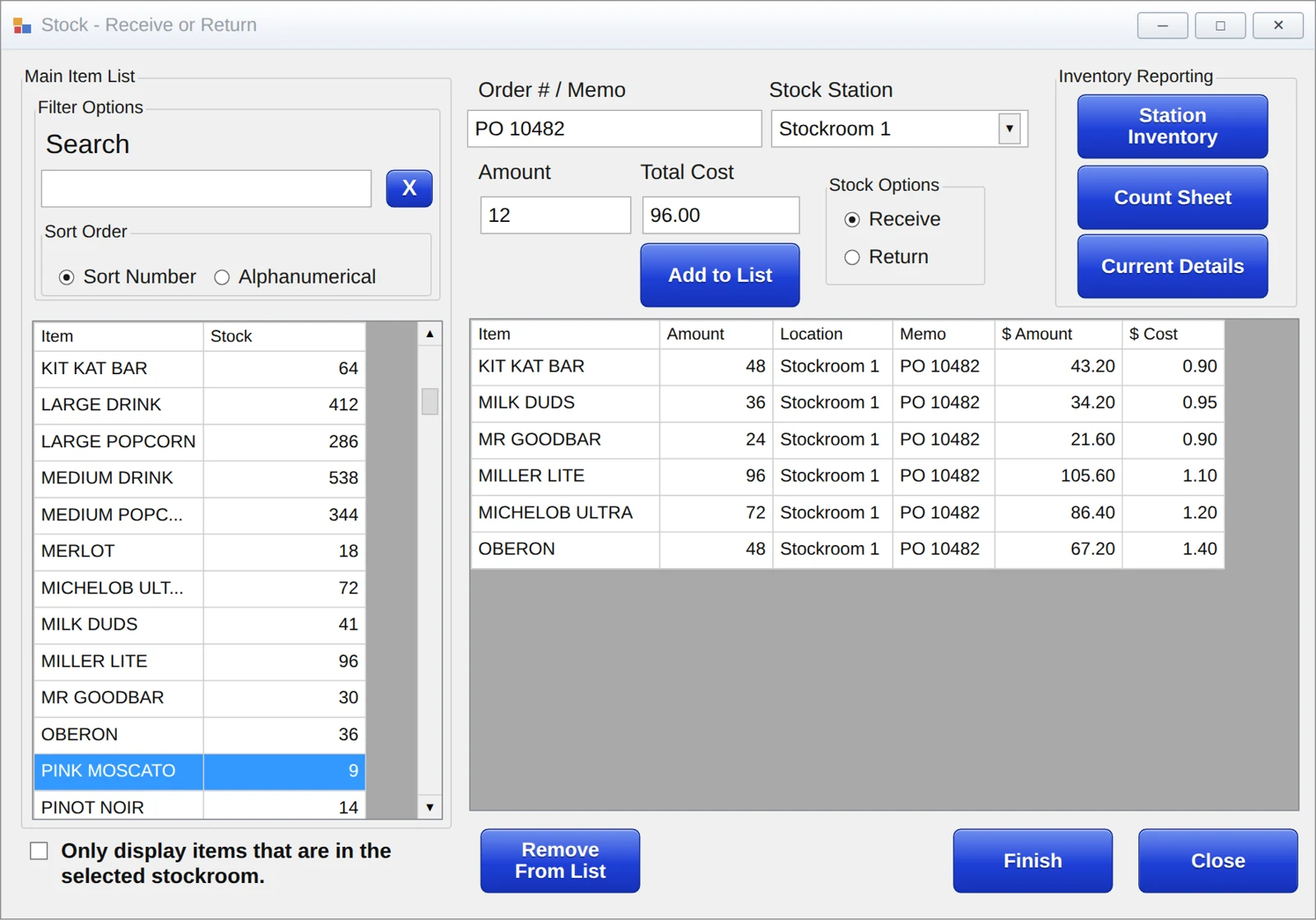
From the Delivery Truck to the Register
RTS follows each item from the day it arrives to the day it sells, so your counts and your sales tell the same story.
Receive it
Enter the delivery with an order number and what you paid. RTS works out the cost per unit for you.
Move it
Transfer stock from the stockroom to your stands as you need it.
Sell it
Each sale comes out of stock as soon as it is completed.
Count and check it
Enter your physical count, and RTS records the difference so you can see where it went.
One Stockroom or a Count at Every Stand
Choose the setup that fits how your theatre runs. Smaller lobbies keep it simple, and busier ones hold each stand to its own count.
Central stockroom
Every register sells out of one shared stockroom. Fewer counts and less setup.
- One place to receive and count
- Every register draws from the same stock
- A good fit for single-stand lobbies
Inventory at each stand
Each register sells from its own inventory, restocked from the stockroom. You can see exactly which stand is short.
- Counts by stand, not just by building
- Count in and count out each shift
- Up to nine stockrooms behind them
- Large Popcorn
- Fountain Drink
- Nachos86
- Candy
86 It, and the Registers Stop Selling It
Out of nachos mid-show? Add the item to the 86 list, and staff can't ring it up. When the delivery comes in, take it off the list. There's no need to change or delete the item.
Sell the Combo. Count Every Piece.
When a combo sells, RTS takes each item in it out of stock, so your popcorn, drink and candy counts stay right. Track supplies like popcorn seed and oil as their own items, and the finished item can draw them down too.
Every Movement Has a Record
Receiving, returns, waste and corrections are all logged, so you can trace any number back to where it came from.
Item costs
Enter what you paid on each delivery, and average costs update automatically.
Returns
Send stock back to a vendor, recorded against the original order number.
Waste with a reason
Log spoiled or damaged items with a reason, then review waste by deposit.
Transfers
Move stock between stockrooms and stands in a few clicks.
Count corrections
Enter what you counted, and RTS logs the difference as an adjustment.
Stock orders
Request and print stock orders for each stand.
The Numbers Behind Every Shelf
Ten inventory reports built from the same sales and stock data, so the stand manager, the buyer and the bookkeeper are all looking at the same numbers.
01What's on hand
Floor and stockroomCurrent Details
Live on-hand counts while the day is running.
Count Sheet
A printable sheet with live levels for physical counts.
02Where it went
ManagersConcession Sales vs Inventory
What sold compared with how stock moved, by deposit, to catch overs and shorts.
Terminal Sales vs Inventory
The same check register by register, to see which station is off.
Waste Details
Everything wasted, with the reason staff entered.
03What it's worth
FinanceCost
The cost of each item and what you have tied up in it.
Cost on Hand
The value of everything on the shelf at a location.
04What to order
Buyers and accountingInventory Remaining
Days of supply left, based on the last 35 days of sales.
Circuit Details
Stock needs location by location, for multi-site buying.
Order Number Lookup
Any past receive or return, found by order number or memo.
Your System Works Together
Stock comes out the same way no matter where the sale happens.
Concessions & Quick Service
Counter sales come straight out of stock.
Learn moreRestaurant & Bar
Kitchen and bar items tracked the same way.
Learn moreSelf-Service Kiosks
Kiosk orders draw from your stock.
Learn moreOnline Purchase Pages
Pre-ordered snacks come out of your stockroom.
Learn moreMobile Apps
App orders tracked like any other sale.
Learn moreQuestions Operators Ask
Do online and app orders come out of inventory?
Yes. Online, app and kiosk concession orders can draw from the stockroom you choose, the same as counter sales.
Can I stop selling something when we run out?
Yes. Add it to the 86 list and the registers stop selling it. Take it off the list when it's back in stock.
Can RTS track popcorn seed and oil?
Yes. Set them up as their own items with their own costs, and the finished popcorn can draw them down when it sells. You enter the cost per serving for the finished item.
How do I know when to reorder?
The Inventory Remaining report shows how many days of supply you have left, based on your last 35 days of sales.
I entered a delivery by mistake. Can I undo it?
Yes. Enter a return for the same items, and the history shows both the receive and the reversal.
Who can change inventory?
Only staff whose RTS login has permission. You can also require an order number or memo on every receive and return.
See It in Action
Book a live demo of RTS inventory management with our team.