Online Purchase Pages
Turn website visits into ticket sales.
Guests buy tickets, pick their seats and order concessions right on your theatre's website, from the same live inventory your box office sells.

Your Whole Theatre, Online
Everything you schedule and set up in RTS shows up online automatically. You choose which films, ticket types and items sell online and which stay at the box office.
Tickets
Showtimes, ticket types and reserved seats on the same seat map your box office uses.
Concessions
Popcorn, drinks and combos ordered ahead, ready at pickup.
Gift cards
Physical and online gift cards, with online cards delivered by email.
Loyalty
Guests sign up for your loyalty program and redeem rewards during checkout.
Four Ways to Sell on Your Site
Pick the setup that fits your website and your web developer. Every option sells from the same live RTS inventory.
- Your website
- RTS purchase pages
Embedded Web App
The RTS Web App sits right inside a page on your site, so showtimes, seats and checkout feel like part of your website.
Keeping guests on your site without a custom build.
iFrame
Your page displays the RTS purchase pages inside a frame, alongside your own content.
Adding online sales to an existing site quickly.
Direct Link
A "Buy tickets" button on your site opens the RTS purchase page, styled for your theatre.
Simple sites, plus links in emails and social posts.
API
Your web developer builds showtimes and checkout into your site's own design, with RTS running the sale behind the scenes.
Fully custom websites and third-party site builders.
of Your Online Fees Stay with You
Convenience fees on online sales are yours to set and yours to keep. RTS doesn't take a cut of the fees your guests pay.
- Waive fees by membership level, so members skip them automatically.
- Turn online fees off whenever you want to run a promotion.
- New York All-In Pricing is supported where it's required.
- Refunded fees show clearly on the guest's receipt.
Set fees your way
Per ticket
A set fee on every ticket in the order.
Per transaction
One fee per order, no matter how many tickets or items.
Flat rate
A fixed amount you choose.
Percentage
A percent of the order total.
Build It Your Way with the RTS API
Already have a website you love, or a developer you trust? The RTS API connects your site straight to the theatre's sales engine, so your developer controls the design and RTS handles the sale.
- Showtimes and upcoming films to list on any page of your site.
- Seat charts with live availability for reserved performances.
- Ticket and concession purchases with payment through the theatre's processor.
- Refunds including partial refunds linked to the original sale.
- Memberships including renewals, auto-renew and expiration updates.
- Loyalty registration and rewards through the same checkout.
Standard REST calls over TLS with HTTP Basic authentication. The same API connects third-party ticketing sites to RTS.
- 1
Read the docs
The RTS API 2 documentation and Postman samples cover showtimes, seat charts, purchases and more.
- 2
Build on test servers
Develop for free against RTS test servers set up for Worldpay, Heartland and TSYS card processing.
- 3
Request a developer ID
Once your integration works on the test servers, email RTS support for a developer ID.
- 4
Go live
Connect to the theatre's RTS server with login credentials the theatre controls.
Questions go to api2questions@rts-solutions.com.
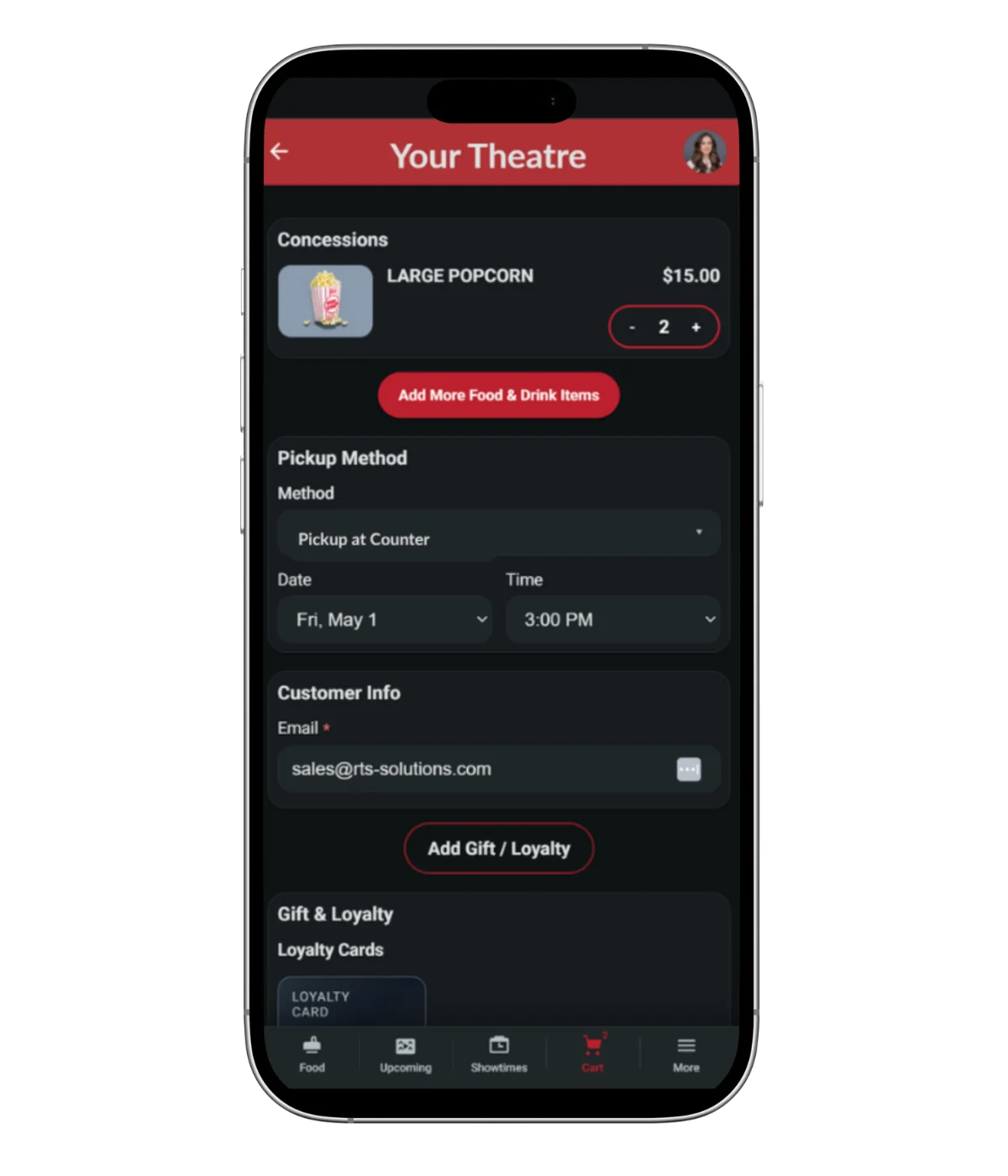
A Checkout Guests Finish
Built for phones first, where most movie tickets are bought. Guests pay in a few taps, and the money goes through your own processor.
- Secure hosted checkout through integrated processors including Worldpay, Heartland and Stripe.
- Clear decline messages that tell guests why a card didn't go through, with improved accessibility.
- Device-aware checkout that guides guests through browser and device security restrictions.
- Bot protection with reCAPTCHA on purchase pages.
- Confirmation emails sent automatically, with the option to hide receipt numbers.
- Guest contact kept 90 days after the show, so you can reach online buyers about changes.
From Click to Seat
Online orders land in RTS the moment they're paid, so every station knows about them. Guests choose how they get in, and your staff never re-key an order.
Scan at the door
Ushers scan the barcode or QR code on the guest's phone with the Usher App, and they're in.
Pick up at the box office
Staff find the order by name or confirmation in Pickup Tickets and print the tickets.
Pick up at a kiosk
Guests print their own tickets at a self-service kiosk, even for a future date.
Grab concessions
Online orders show up in the pickup viewer, tied to the showtime, and guests can get a text when food is ready.
Can't find an order? Advanced Ticket Search pulls up any online purchase in seconds, with a one-tap filter for today's orders.
RTS Theatres Selling Online
A few of the ways RTS theatres run online sales today.
- Flippers Cinema
- Web App embedded on the theatre's website.
- Wonderland Cinema
- Links to the Web App, and sells concessions online.
- Regency Theatres
- Third-party website built on the RTS API.
- Schulman Movie Bowl Grille
- Third-party website built on the RTS API.
- Golden Ticket Cinemas
- Third-party website with memberships, built on the RTS API.
Your System Works Together
Online sales aren't a separate system to reconcile. Every seat, ticket and item sold online comes straight out of the same inventory as your box office and concession stand.
Gift Cards
Online gift cards delivered by email, redeemable at every register.
Learn moreLoyalty & Memberships
Programs guests join and use right in online checkout.
Learn moreAdvance Ticket Sales Reports
See what's sold ahead for every upcoming show, online and at the box office.
Learn moreUsher App
Scans online tickets on the guest's phone at the door.
Learn moreShowtime Scheduler
Everything you schedule goes on sale online automatically.
Learn moreOnline Sales Questions
Do guests have to leave my website to buy tickets?
Not with the embedded Web App, an iFrame or the API. Those keep the purchase on your site. A direct link opens the RTS purchase page.
Can guests pick their seats online?
Yes. Online guests see the same seat map as your box office, with live availability.
Can we sell concessions online?
Yes. Guests order concessions with their tickets, and orders go to the pickup viewer at your stand.
We already have a web developer. Can they use RTS?
Yes. Developers can build against the RTS API on free test servers, then request a developer ID from RTS support.
How do guests get in with an online ticket?
Ushers scan the ticket on the guest's phone, or guests pick up printed tickets at the box office or a kiosk.
See It in Action
Book a live demo of RTS online purchase pages with our team.