Mobile Apps
Sell tickets and food from an app with your name on it.
The RTS App is a branded movie theater app for iPhone and Android. Guests buy tickets, order food, check their rewards and pay with a saved card, all straight from you.
Your Theatre in Their Pocket
The app runs on the same RTS system as your box office. Showtimes, seats, prices and your menu update in the app the moment you change them.
- 01
Buy tickets and choose seats
Showtimes, ticket types and your reserved seat map, so guests arrive already holding tickets.
- 02
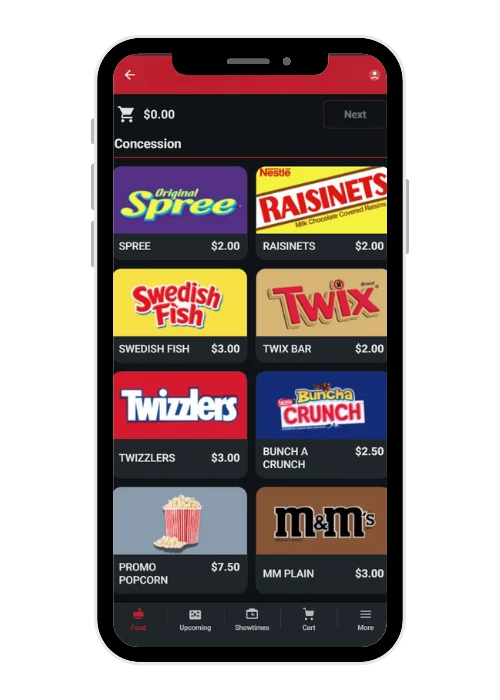
Order food and drinks
From your real menu, with the same photos and descriptions as your kiosk. More guests buy concessions before the lobby line forms.
- 03
Check points and rewards
Guests see their point balance and membership, and apply reward credits at checkout. Regulars come back to use what they've earned.
- 04
Pay in one tap
Guests save a card to their account and skip typing it in next time. Fewer abandoned checkouts, more repeat visits.
Every App Sale Is a Direct Sale
When guests buy through a third-party ticketing app, someone else owns the customer and takes a cut. When they buy in your app, the relationship, the data and the fees are yours.
Keep your fees
Online convenience fees go to your theatre, not to a ticketing partner.
Know your guests
App accounts carry each guest's email, purchase history and loyalty, all inside your RTS system.
Reward your members
Offer member-only ticket types that show up for signed-in members whose membership qualifies.
A Loyalty Card They Never Forget
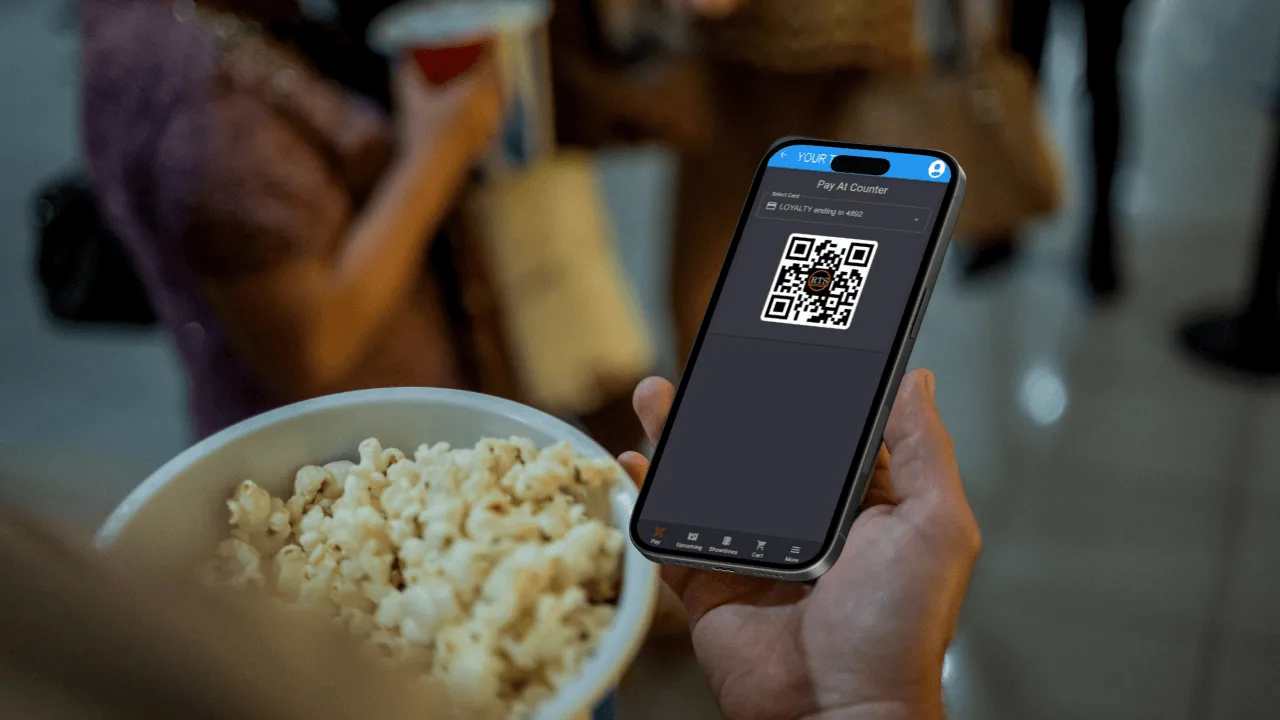
Plastic cards get left at home. Phones don't. The app puts your RTS loyalty program where guests actually look.
- Sign up, start earning. Turn on automatic enrollment and every new app account gets a loyalty number, no physical card needed.
- Points at a glance. Guests see spendable points, earned points and their membership tier and expiration.
- Scan at the counter. The app shows a QR code your registers can scan with a 2D scanner.
- Rewards at checkout. Guests apply reward credits, like a free ticket, when they buy in the app.
- One account. Link an existing plastic card by email and the points roll into the app account.
Food Orders Before They Walk In
Guests who order ahead skip the line and are less likely to skip the snack bar. Their orders land in the same RTS workflow as your counter.
Build the menu once
Categories, photos and descriptions you set up in RTS show on both your app and your kiosks.
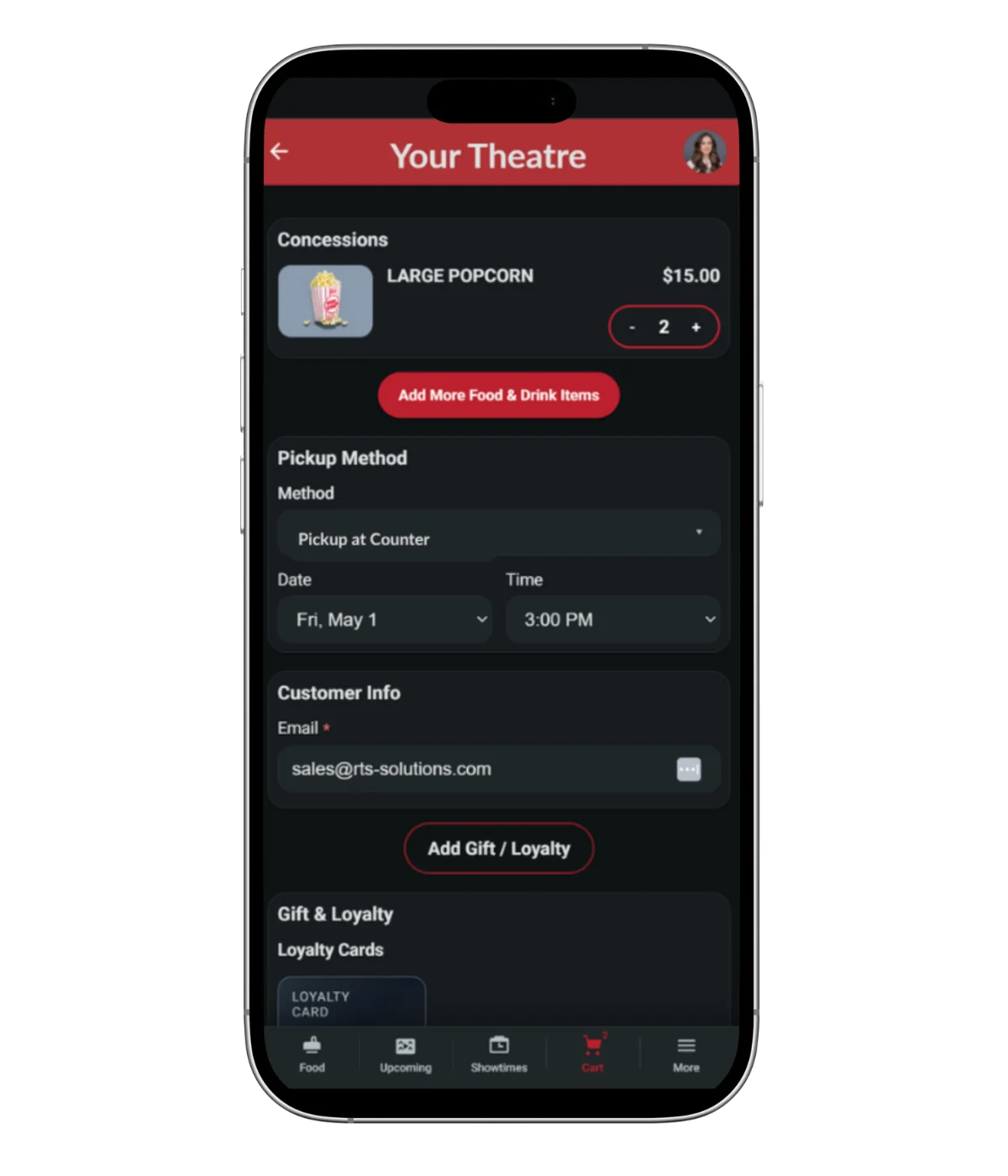
Guests order
Full menu with sizes and combos, paid with a saved card or a reward credit.
Pickup or delivery
Guests choose counter pickup, or in-seat delivery where you offer it.
Stock stays right
App orders pull from inventory like any other sale.
We Build It. You Launch It.
No app developer, no code, no second system to keep up to date.
- 1
Send us your details
Fill out the app setup form and send your logo as a PNG.
- 2
RTS builds your app
We brand it, connect it to your RTS system and publish it to the App Store and Google Play.
- 3
It runs itself
Showtimes, prices and menu changes you make in RTS show up in the app automatically. Need a new logo later? Send it to support and we'll update it.
Set It Up Once. It Sells Everywhere.
The app sells from the same schedule, seats, menu and loyalty program as your box office, website and kiosks. Nothing to set up twice.
Online Purchase Pages
Your website's ticketing, built on the same system as the app.
Learn moreSelf-Service Kiosks
Where app guests can print tickets and pick up orders.
Learn moreRTS Usher App
Staff check in app tickets at the door with a phone camera.
Learn moreLoyalty & Memberships
The program guests track and redeem in the app.
Learn moreQuestions Operators Ask
Do I need an app developer?
No. RTS builds, brands and publishes your app, and keeps it connected to your RTS system.
Will the app have my theatre's name and logo?
Yes. It's your branded app, with your logo, in the App Store and Google Play.
Do showtimes and prices need to be entered separately?
No. The app reads from your RTS system, so changes you make in RTS appear in the app automatically.
Can guests use my loyalty program in the app?
Yes. Guests see their points and membership, show a QR code at the counter, and redeem reward credits at checkout.
Which processors support saved cards?
Saved cards work with Heartland and Worldpay Hosted Checkout. We'll confirm your setup during onboarding.
What if a guest won't download an app?
They can use the web version of the RTS App in their phone's browser.
See It in Action
Book a live demo of the RTS App with our team.